E-Office Solution
E-Office Solution
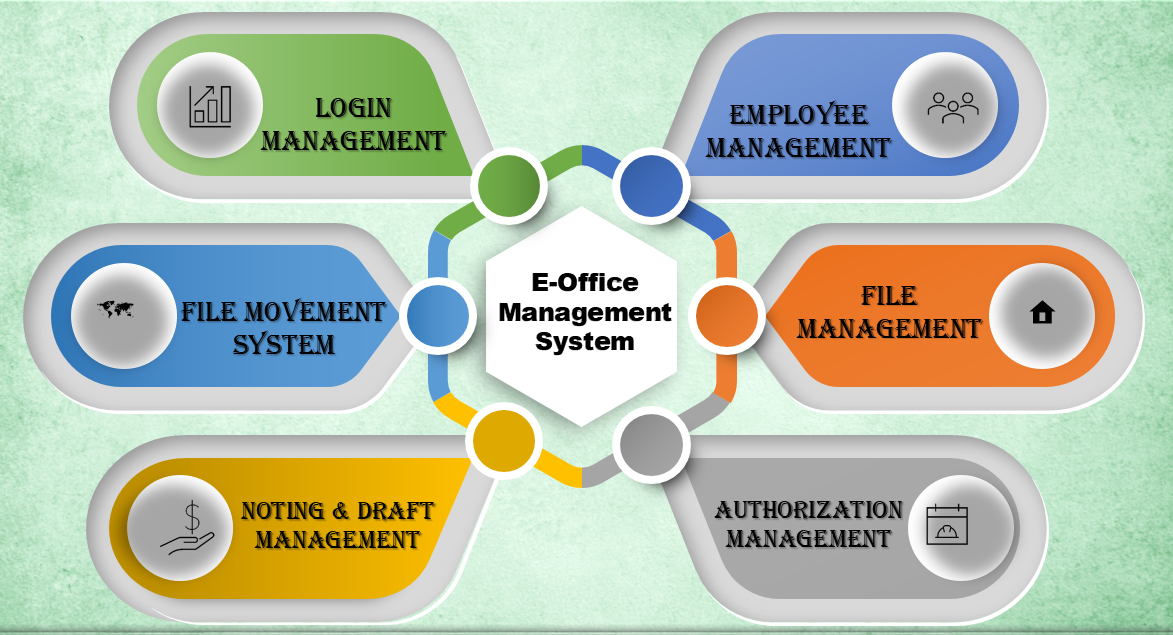
e-Office is an application that has been designed in sync with the needs of a modern Offices and has been conceived as the instrument for the Next Generation Office. It paves a platform for Personalized, role based, secure access to internal information for the employees that is accessible through any browser. Personalized services are enabled and employees receive Electronic notifications of services and transactions based on their needs and contingencies.
Objective
- To improve efficiency, consistency and effectiveness of government responses.
- Establishing a paperless environment in offices and to establish transparency and accountability.
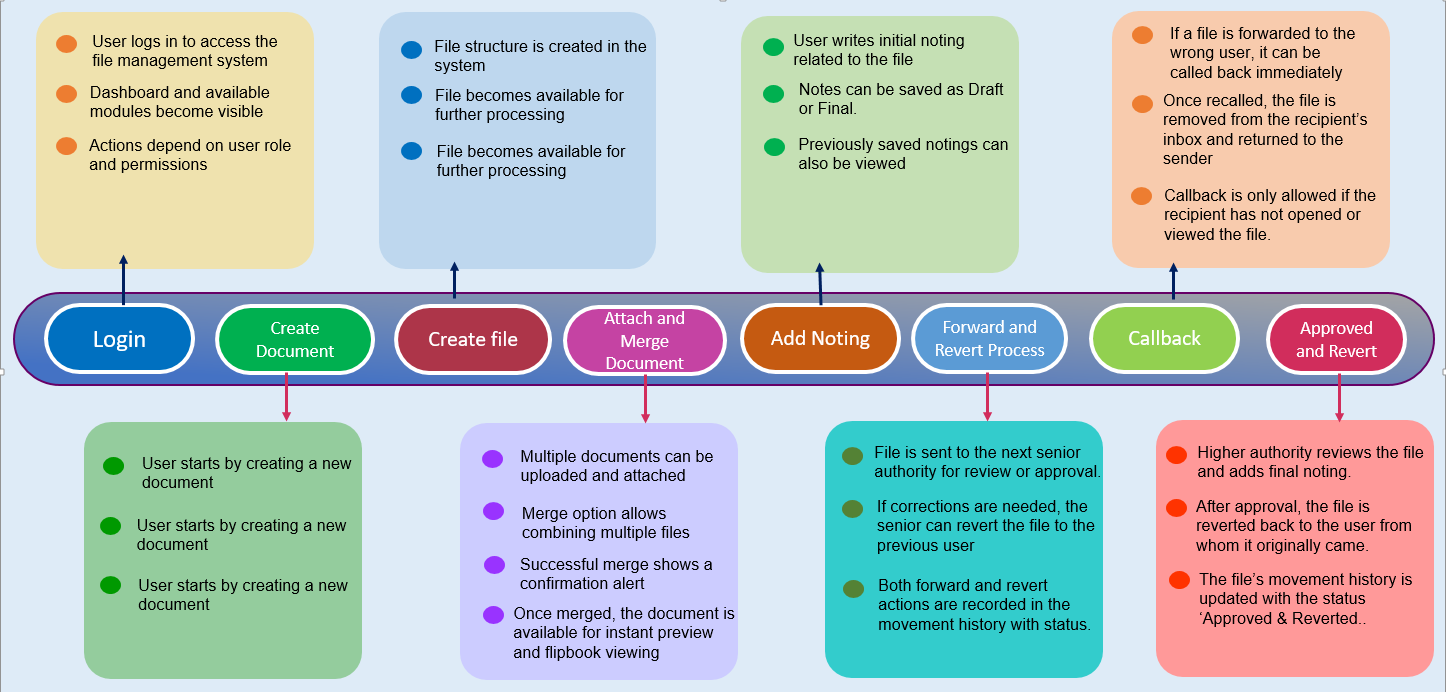
System Overview – Incoming Documents Process
Dak Receipt Section: First of section officer create a document before file creation.
System Overview – File Movement Process
Action Stage: File Movement within Sections
A. File Receipt Section (INBOX):
Check if file already exists. If Yes → Go to Owner Section and open file and merge
document Reference. If No → create new file with File no., Description, File Category,
Subcategory, Creation Date, Section (Self), Next Reference, Document Priority.
B. Owner Section (INBOX)
C. Process by Next Section:
Add remark and signature.
Decision: Next Forward Required?
• Yes → Send to next section (OUT/IN BOX)
• No → Forward to Owner Section (Remark and Signature)
Dispatch Section (INBOX): Send Response Document to dispatch section
End of Process